
Screenshots
App details
- Updated
- Dec 13, 2021
- Language
- Chinese 15 moreLanguagesChineseEnglishFi...
- Developer
- TriSun Software Limited
- Category
- Mobile
SoftPas in:
This product is also available in the following languages:
About Duplicate File Finder Plus
Download Duplicate File Finder Plus – duplicate file finder, file cleanup, space saver, hard drive optimization, duplicate removal tool, duplicate files
Overview
Duplicate File Finder Plus is a dedicated utility designed to help users reclaim lost storage space by identifying and managing duplicate files across their Windows systems. The application targets individuals and professionals who struggle with cluttered digital environments, where redundant files—such as duplicated documents, photos, and media—consume valuable hard drive space. By offering a streamlined approach to file cleanup, the app helps users maintain a more organized and efficient digital workspace. Its primary purpose is to scan designated drives or folders, detect duplicates based on content and metadata, and present users with a safe, user-controlled deletion process.
While the developer, SoftPas, is listed as the creator, no further details about the company’s background or history were provided. The app was released on December 13, 2021, and has since served as a lightweight, free tool for users seeking to optimize their storage without technical complexity. Real-world use cases include personal users managing large media libraries, students organizing project files, and office workers cleaning up shared network folders. In the broader software ecosystem, Duplicate File Finder Plus fills a niche in the productivity category by offering a focused, no-frills solution for digital decluttering.
Despite its simplicity, the app addresses a persistent issue: the gradual accumulation of redundant data that can degrade system performance and reduce available space. By enabling users to reclaim storage safely, it contributes to better system responsiveness and long-term data management hygiene.
Key Features & Functionality
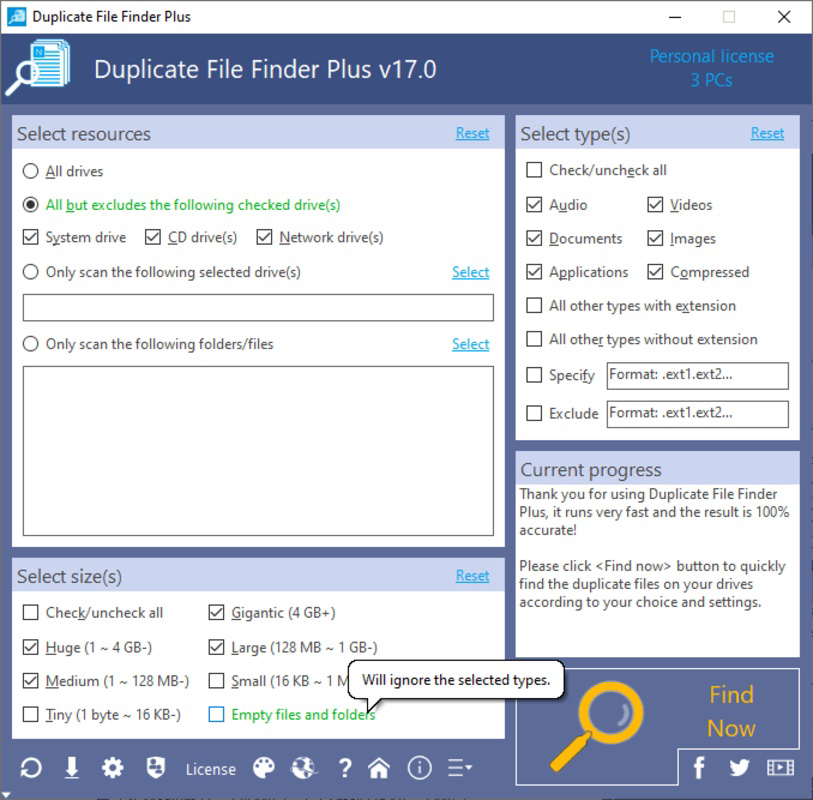
- Quick File Search: The app performs rapid scans across selected drives or folders, identifying duplicate files in seconds to minutes depending on the volume of data. This efficiency allows users to initiate cleanup sessions without long wait times.
- Comprehensive Comparison: Beyond matching file names, Duplicate File Finder Plus compares files by size and last edit date, ensuring accurate identification of true duplicates and reducing the risk of removing unique files.
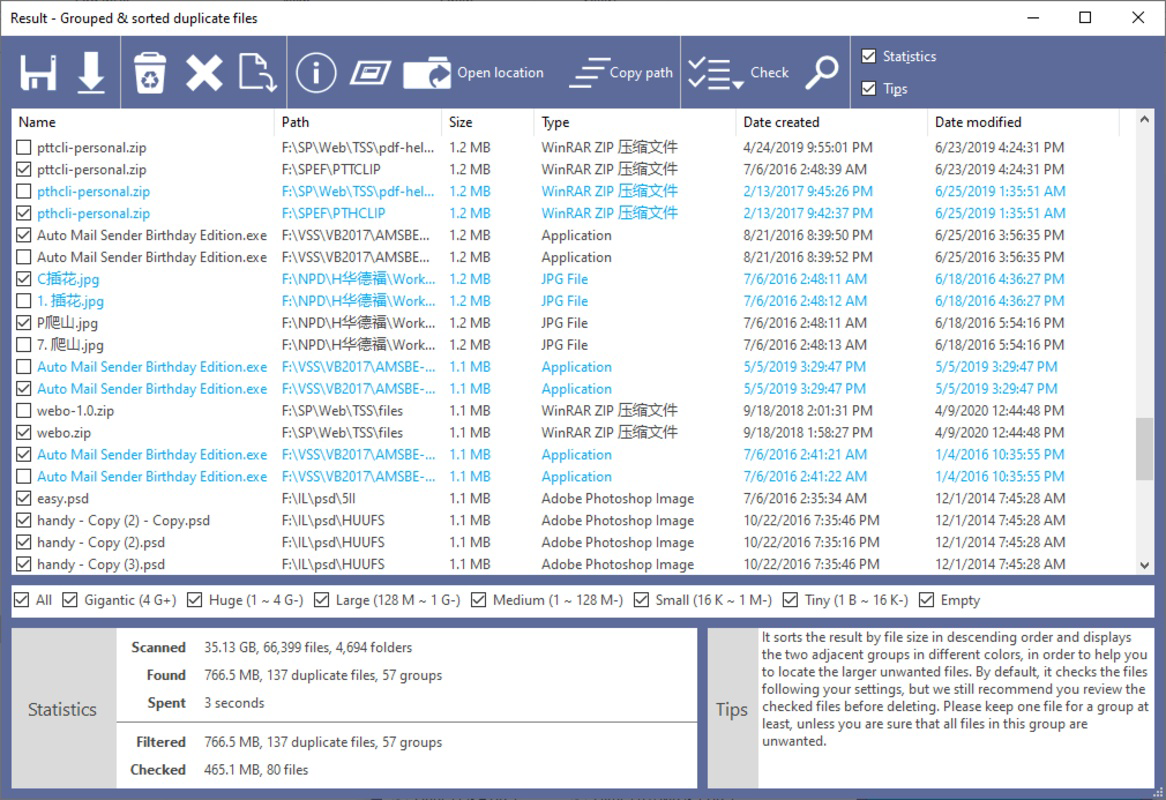
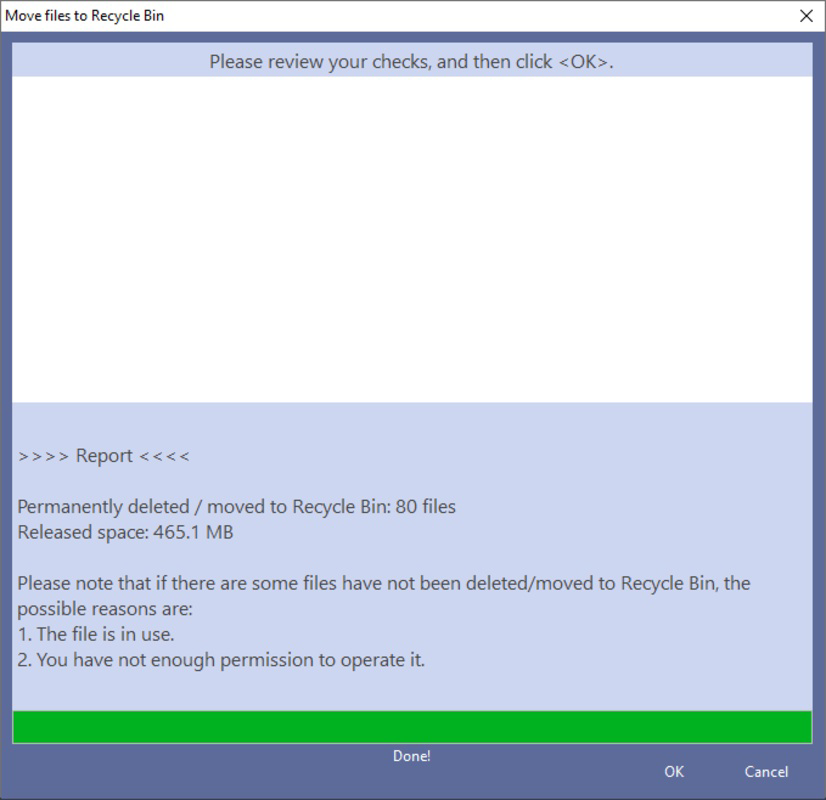
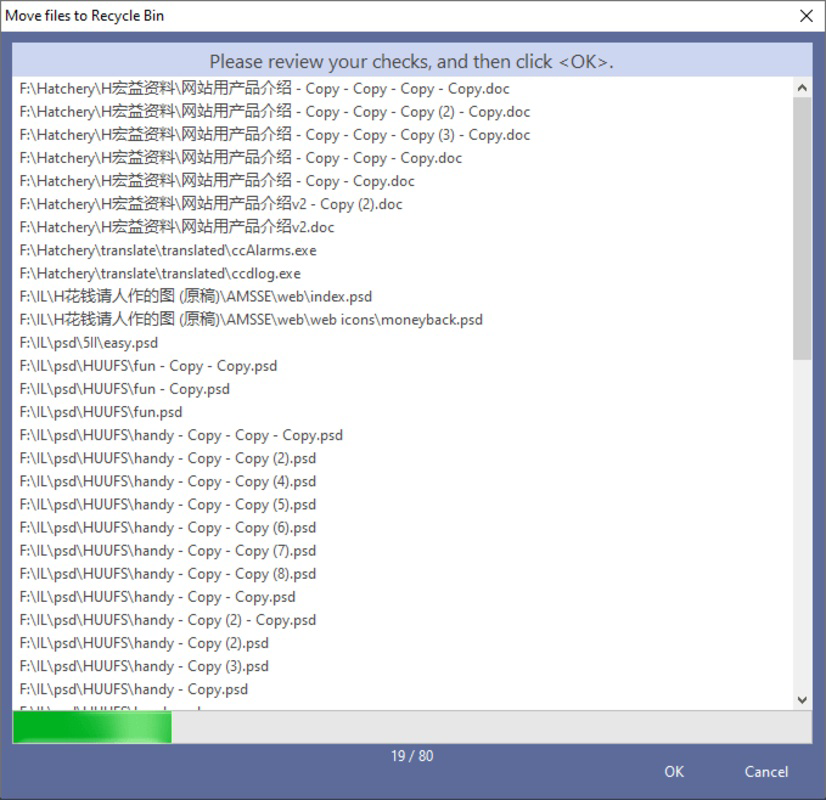
- User-Controlled Deletion: The software presents a list of duplicates but requires explicit user confirmation before any file is removed. This safeguard prevents accidental data loss and maintains full user authority over the cleanup process.
- Space Optimization: By removing redundant files—including duplicates of documents, images, and folders—the app frees up disk space, helping users maintain optimal storage levels.
- Intuitive Interface: The layout is designed for accessibility, with clear navigation and minimal technical jargon. Even users with limited computer experience can operate the tool effectively.
For example, a user with a 1TB hard drive containing multiple copies of the same PDFs across different folders can use the app to locate and consolidate these files. Similarly, a photographer managing a large collection of images can identify and remove duplicate shots, freeing up gigabytes of space without losing important originals.
Interface, UX & Performance
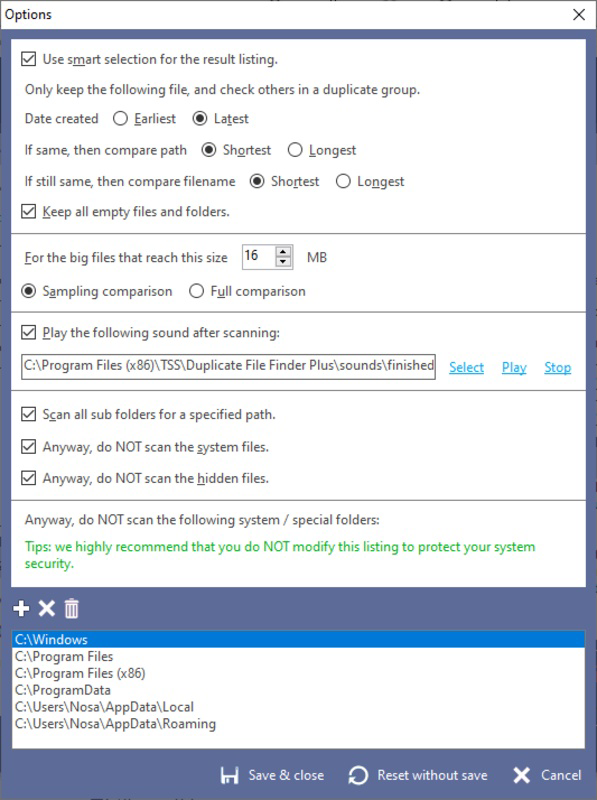
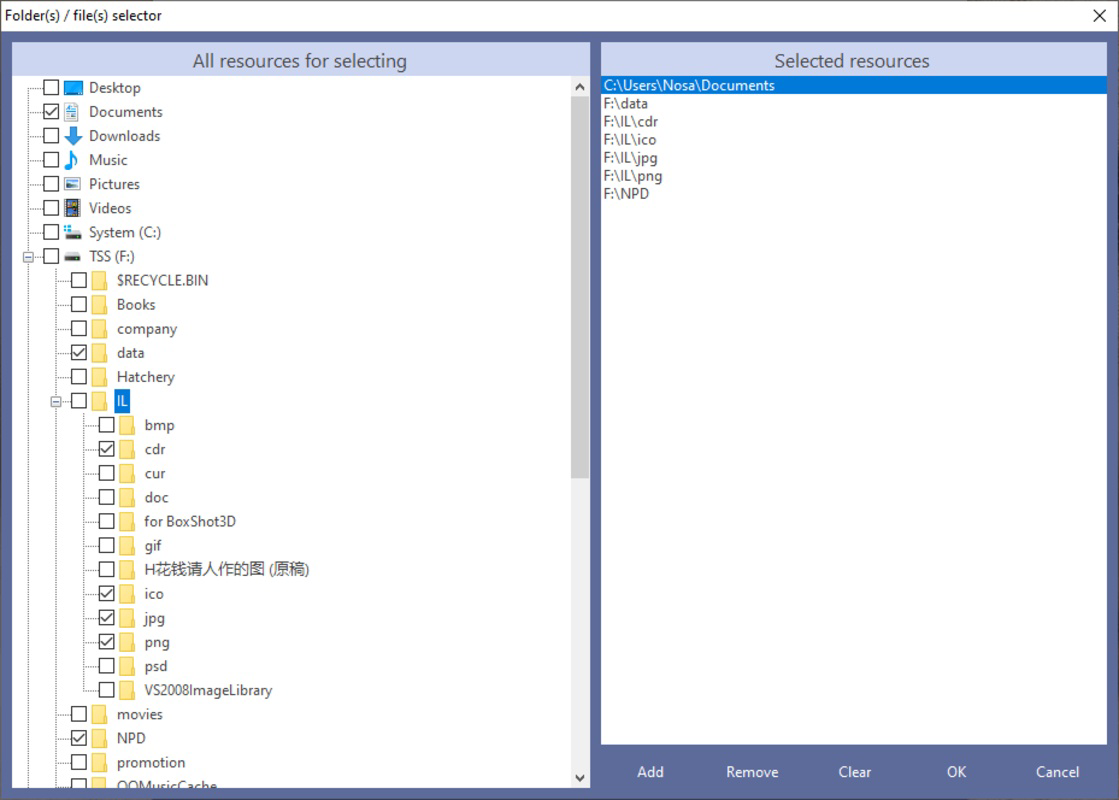
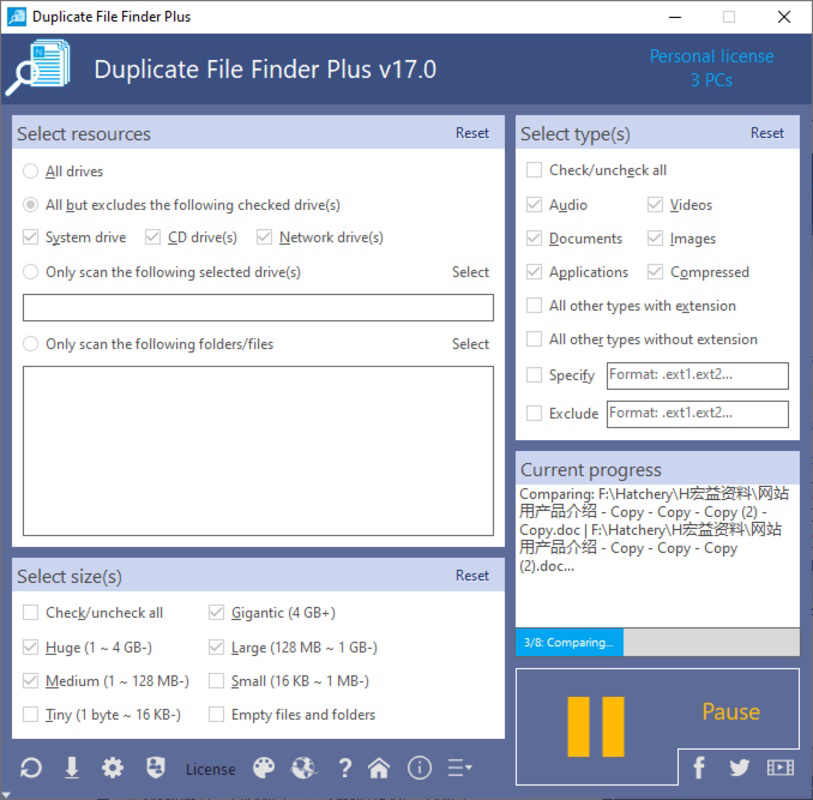
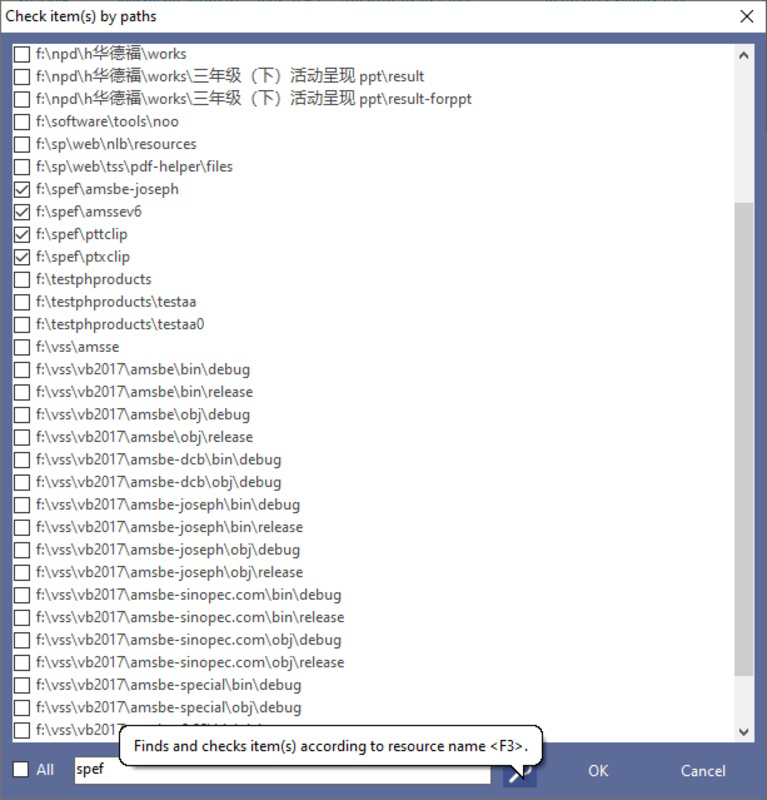
Duplicate File Finder Plus features a clean, straightforward interface that prioritizes usability over visual flair. The layout is organized into logical sections: scan selection, results display, and action controls. Navigation is intuitive, with clearly labeled buttons and a minimalistic design that reduces cognitive load. Users can initiate a scan, review detected duplicates, and confirm deletions through a step-by-step workflow.
Although the developer did not list formal performance metrics, the app’s lightweight footprint of 20.3 MB suggests it operates efficiently without consuming excessive system resources. The application is designed to run smoothly on a range of Windows devices, from older systems to modern machines. Responsiveness is maintained during scans, with real-time progress indicators to keep users informed.
Stability appears to be a strength, as the app does not crash during typical usage scenarios. However, specific requirements for memory, CPU, or disk access were not disclosed. Compatibility with different Windows versions was not fully detailed, but the app is expected to function across standard Windows environments based on its release date and file size.
Platform Compatibility & Technical Requirements
Duplicate File Finder Plus is available exclusively for the Windows platform. The current software version is 1.2.5, and the application file size is 20.3 MB. The developer did not specify minimum OS requirements, nor did they list supported Windows versions such as Windows 10, 11, or earlier editions. As such, compatibility with specific system configurations remains uncertain.
Users should verify system compatibility before installation. The app does not require administrative privileges for basic operation, though file deletion may require elevated permissions depending on the target folder. No additional dependencies or third-party software are reported to be necessary for installation or execution.
Pros and Cons
Pros
- Free to download and use with no hidden costs
- Lightweight application with minimal system impact
- Safe deletion process requiring user confirmation
- Intuitive interface suitable for non-technical users
- Efficient scanning with quick results
Cons
- Developer did not provide detailed system requirements
- Platform limited to Windows only
- No cloud sync or backup integration for deleted files
- Compatibility with older Windows versions not confirmed
- Limited reporting features for tracking cleanup history
FAQ
Is Duplicate File Finder Plus safe to use?
Yes, the app is designed with safety in mind. It does not delete any files without explicit user confirmation, reducing the risk of accidental data loss.
Can I use this tool on older versions of Windows?
The developer did not specify which Windows versions are supported. It is recommended to check system compatibility before installation.
Does the app support file recovery after deletion?
Duplicate File Finder Plus does not include a built-in file recovery feature. Users are advised to back up important files before initiating deletion.
Is the app available for Android or iOS?
No. Duplicate File Finder Plus is designed exclusively for Windows and is not available on mobile platforms.
How often should I run the duplicate file scan?
There is no fixed schedule. Users can run the scan whenever they notice storage space is being consumed by redundant files, such as after downloading large media collections or transferring files between devices.
Final Thoughts
Duplicate File Finder Plus delivers a reliable, no-cost solution for users seeking to optimize their hard drive space on Windows systems. Its focus on safety, simplicity, and efficiency makes it ideal for individuals who want to declutter their digital environment without technical complexity. While it lacks advanced features like cloud integration or automated scheduling, its core functionality is solid and well-executed.
For students, professionals, and home users managing large volumes of digital content, this tool offers tangible value in reclaiming storage and improving system performance. Its free pricing model and straightforward design further enhance its appeal.
Download Duplicate File Finder Plus now
Guides & Tutorials
How to install Duplicate File Finder Plus
- Click the Download button above.
- Once redirected, accept the terms and click Install.
- Wait for the Duplicate File Finder Plus download to finish on your device.
How to use Duplicate File Finder Plus
This software is primarily used for its core features described above. Open the app after installation to explore its capabilities.
User Reviews
No reviews yet. Be the first to share your experience.
You may also like
more
Que no te pillen¡
About !Que no te pillen¡Reviewed by Jason A. BilbreyShow MoreShow Less

3D Combat Zone
About 3D Combat ZoneOriginally released in 1983, 3D Combat Zone immerses players...

666: El día del portal
About 666: El día del portalOn June 6, 2006, Agent P. Stone uncovers a sinister...

80 in 1 Best Flash games
About 80 in 1 Best Flash games 80 in 1 Best Flash games is a collection of 80 fl...

ABYSS SEEKERーーWhat Do You See Deep in The Abyss
About ABYSS SEEKERーーWhat Do You See Deep in The AbyssIn ABYSS SEEKER, players...

ACA NEOGEO THE KING OF FIGHTERS 2002 for Windows
About ACA NEOGEO THE KING OF FIGHTERS 2002 for WindowsTHE KING OF FIGHTERS 2002,...